Description
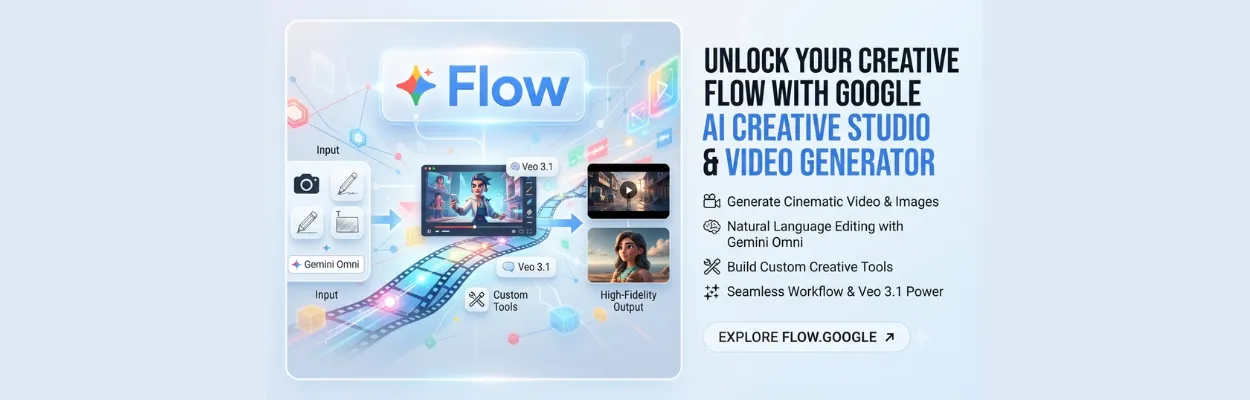
Google Flow is a comprehensive AI-powered creative studio designed for digital artists, filmmakers, content creators, and designers looking to bridge the gap between imagination and execution. Built on top of Google's industry-leading generative models—including Gemini Omni and Veo 3.1—the platform serves as an adaptable canvas where you can conceptualize storyboards, render complex sketches, and produce cinematic video sequences.
What sets Google Flow apart is its deep conversational editing and custom tool ecosystem. Users can build bespoke tools using natural language, apply unique shader effects, resize assets dynamically, and maintain strict subject consistency across images and videos. Whether you are crafting short-form social media content or deep, narrative-driven animation projects, Google Flow streamlines the entire production pipeline while keeping you completely immersed in your creative zone.
Best Use for?
Producing cinematic short-form videos, music videos, and social media reels.
Rapid visual concepting, storyboarding, and character development.
Executing complex, natural-language image and video edits with professional consistency.
Building and remixing specialized custom creative tools for unique artistic workflows.
Key Features
Gemini Omni:
Create and edit videos from any input reference using advanced multimodal world understanding.
Veo 3.1:
Generate realistic, high-quality videos equipped with native audio and expanded creative controls.
Custom Tool Creation:
Build, remix, and share specialized creative tools using simple natural language.
Iterative Refinement:
Perform complex edits and scale individual assets seamlessly across entire projects.
Frequently Asked Questions
Pros
Access to state-of-the-art Google generative models in a unified workspace.
Powerful natural language editing and deep prompt adherence.
Flexible tiers ranging from a capable free version to robust enterprise options.
Cons
Generation capabilities and credit limits vary depending on subscription tiers.
Advanced features and high-resolution upscaling require paid plans.